Your vault
The vault is the home of everything Ethia holds for you. See it at a glance, check what comes in and what goes out, and take it wherever you need it.
Open your vault
Tap the button below while you are signed in. The Overview shows your latest lab, your next appointment, your medications, check-ins, reports and documents.
Open my vault →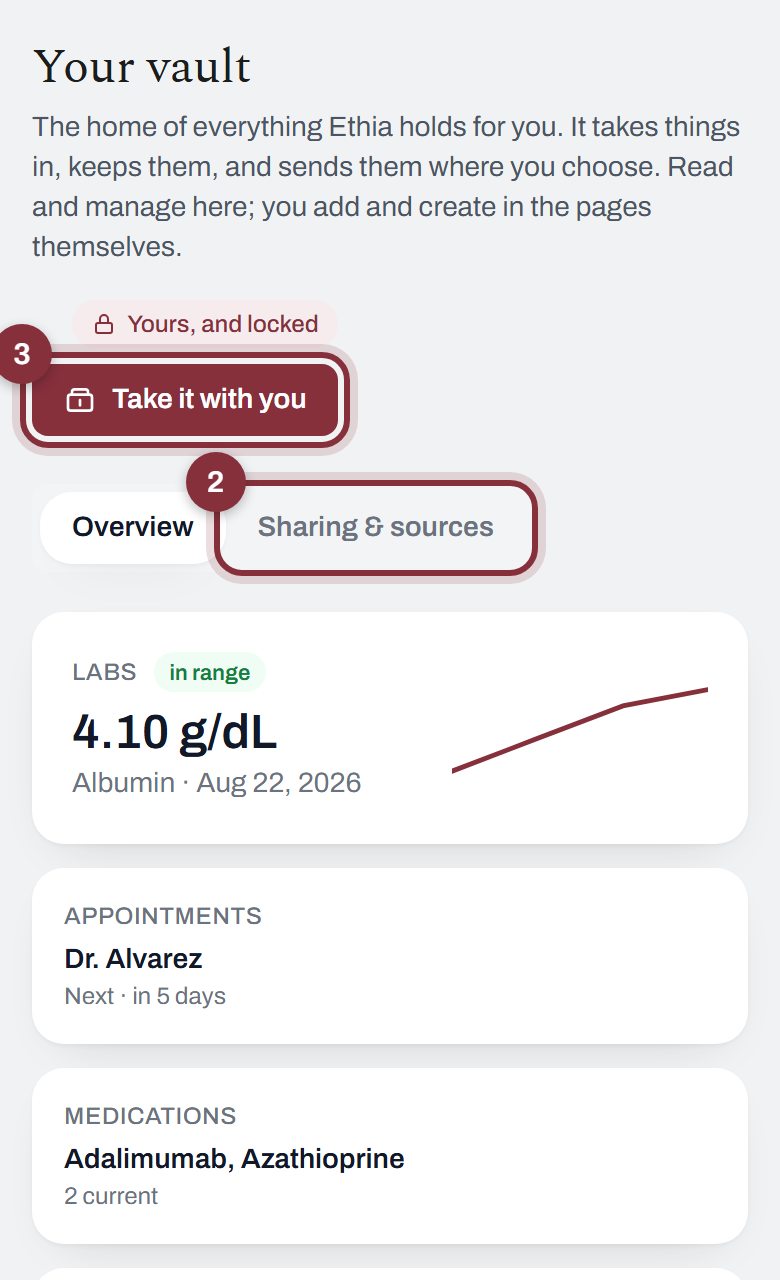
You did it right if: you see “Yours, and locked” under the title.
See what comes in and what goes out
Tap Sharing & sources. Coming in lists where your vault fills from. Going out lists who can read it. You can turn any of it off.
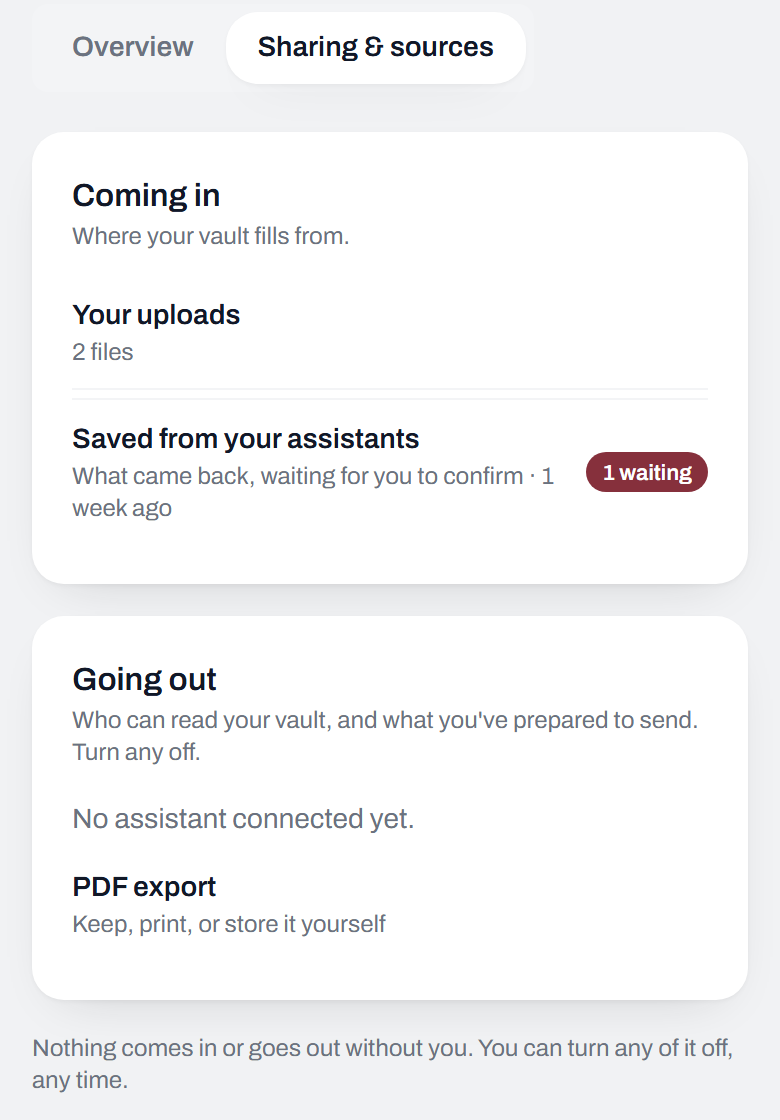
You did it right if: the page ends with “Nothing comes in or goes out without you.”
Take it with you
Tap Take it with you and pick where it is going: your doctor, a new practice, another AI, or a full copy for yourself. You see it before anything is sent.
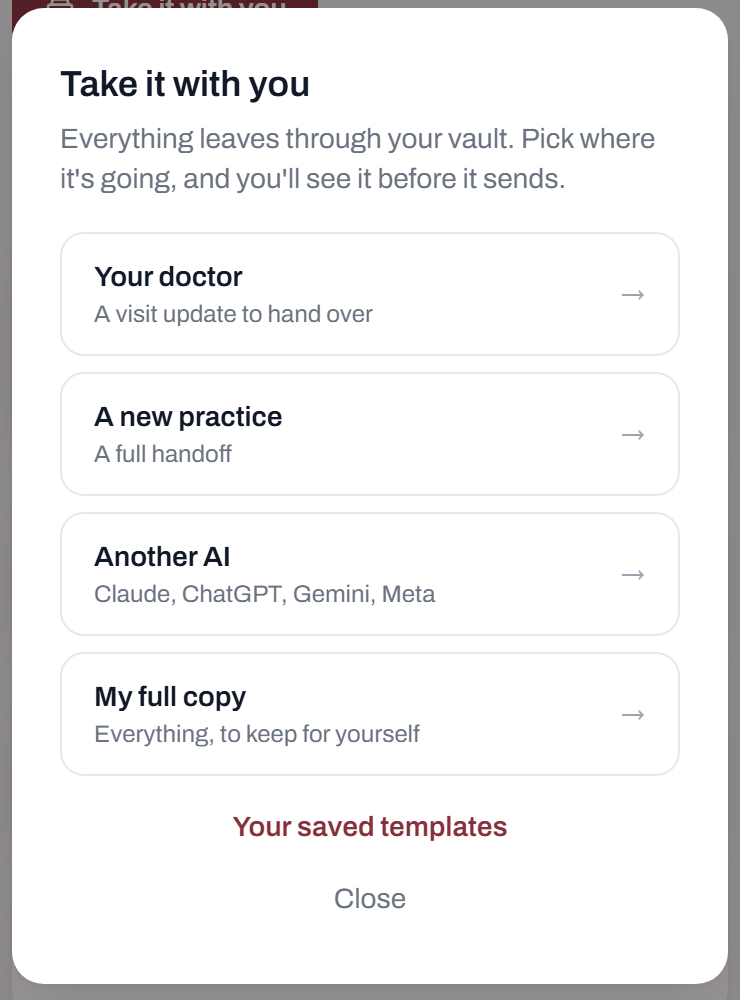
You did it right if: you get a preview of exactly what will leave.
To add or change something in your vault, open its own page. Labs are under Reports. Visits are under Care.